Audit Trail & Integrity
Path: /audit
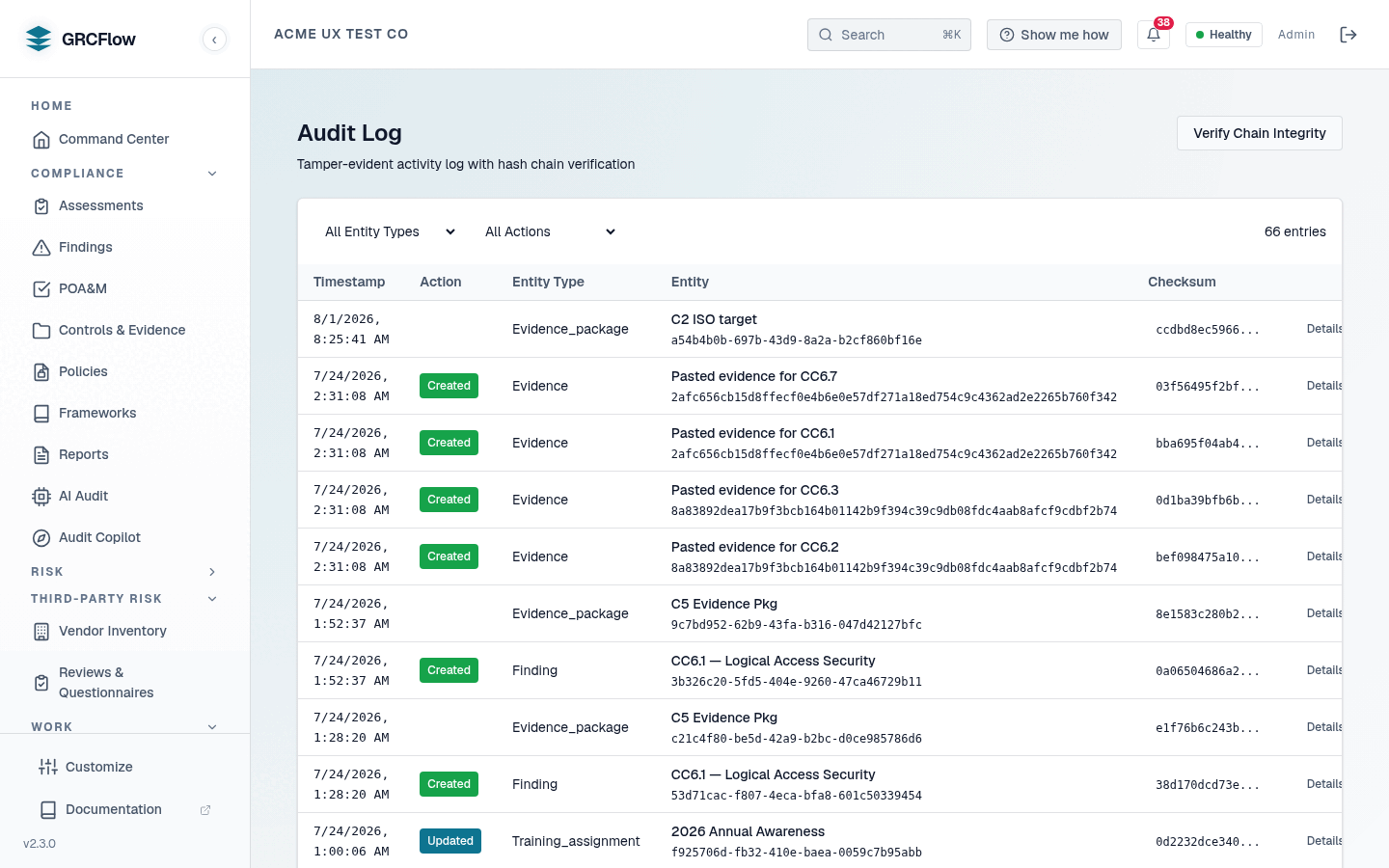
The audit trail is the platform's anti-"blinking green light" mechanism: a tamper-evident, cryptographically signed record of the state changes that matter. It answers not just "what does the dashboard say?" but "who changed it, when, and can you prove the record wasn't edited afterwards?"
What gets recorded
Security-relevant mutations write through a single service-layer entry point
(record_audit_event), so there is one chaining/signing path — not a second,
weaker logging mechanism. Wired-in events include:
| Area | Recorded events |
|---|---|
| Findings / verdicts | Finding creation and updates, including verdict and disposition changes |
| Assessments | Run state transitions (including background/system transitions) and the human-review sign-off decision |
| Evidence | Evidence lifecycle changes |
| Policies | Create, update, review, approve, archive, and delete — approval is recorded as an ATTEST action signed with the approver's key |
| Policy versions | Snapshot ids are recorded in the chained entries, tying version history to the trail |
| Attestations | Every policy acknowledgment is a signed ATTEST entry |
| Users | Create, update, delete, and auto-provisioned first logins |
| External auditors | Every evidence view by a scoped auditor, and every denied download attempt |
How integrity works
Two independent mechanisms protect every entry:
- SHA-256 hash chain — each entry's checksum includes the previous
entry's checksum, so deleting or editing any historical entry breaks the
chain from that point forward. Concurrent writes are serialized with
SELECT FOR UPDATEso the chain cannot fork. - Ed25519 digital signatures — each user has their own Ed25519 key pair.
The private key is stored AES-256-GCM-encrypted under a server-held master
key (
AUDIT_SIGNING_MASTER_KEY); the signature covers the same canonical payload as the checksum. The signer's public key is stored in the entry itself, so verification is self-contained — no key lookup required.
System-generated actions (background jobs, external auditors with no user record) have no signing key; those entries are hash-chained but unsigned, and the verification endpoint reports them honestly as unsigned rather than pretending they were signed.
Failure semantics — degrade loudly, never fake
The audit write runs in a savepoint inside the caller's transaction. In the
normal path the entry commits atomically with the action it records. If the
audit write fails, the user's action still succeeds, but a loud
AUDIT TRAIL WRITE FAILED warning is logged — the trail can degrade, but it
cannot silently no-op, and it never blocks legitimate work.
Verifying the trail
GET  /api/v1/orgs/{org_id}/audit/log                 # browse entries (filters + pagination)
POST /api/v1/orgs/{org_id}/audit/verify-chain        # recompute the hash chain
POST /api/v1/orgs/{org_id}/audit/verify-signatures   # check Ed25519 signatures
GET  /api/v1/orgs/{org_id}/audit/report              # summarized audit report
GET  /api/v1/orgs/{org_id}/audit-log/export          # export entries
GET  /api/v1/orgs/{org_id}/audit-log/retention       # read/update retention policy
- Verify chain recalculates checksums over the requested date range and compares them with the stored values — any tampering (edit, delete, reorder) is detected.
- Verify signatures checks each signed entry against the public key stored in that entry and returns counts of valid, invalid, and unsigned entries. Unsigned is expected for system actions and entries predating signing.
How to use the audit log UI
- Use filters to find specific activities (e.g., all "Created" actions on "Incident" entities).
- Click Details on any entry to see the full record, including who performed the action and the change diff.
- Click Verify Chain Integrity to run the cryptographic verification.
Compliance
The hash chain plus per-user signatures support SOC 2 CC7.2 (system monitoring), ISO 27001 A.12.4 (logging and monitoring), and non-repudiation requirements for auditor sign-offs.